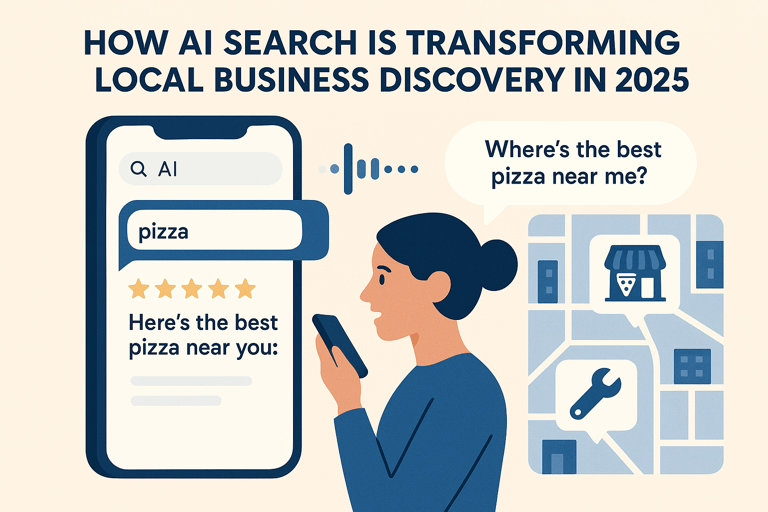

You have noticed the dip. Fewer calls, fewer form submissions, and a nagging sense that your website looks a little tired next to the competition. Now you are weighing a hard question: do you refresh what you have, or rebuild from scratch? The honest answer depends less on how your site looks and more on whether AI search engines can read it at all. This guide walks through the real website redesign cost, how to self-check your current site, and the questions to ask before you spend a dollar.
Why your website matters more in the age of AI search
There is a myth floating around that AI assistants have made your website optional. The opposite is true. When a customer asks ChatGPT or Google for a good dental office nearby, the AI shortlists a few names. Then the customer does what people have always done before spending money. They check.
BrightLocal’s July 2026 research on where consumers search found that of consumers who started their most recent local search on an AI tool, 43 percent went on to check Google, and just 2 percent used AI as their only channel. Your website is the place that verification happens.
AI may build the shortlist, but your website is where a cautious customer makes the final call.
The same research pattern shows up in review behavior. BrightLocal’s Local Consumer Review Survey 2026 reported that 54 percent of consumers visit a business’s website after reading a positive review, up from 32 percent in 2019. The site is the closing tool, not a decoration.
What is actually driving the fear around click-through rates
The anxiety is not imaginary. Ahrefs published a study in February 2026 that analyzed 300,000 keywords, comparing December 2023 with December 2025. It found that when Google shows an AI Overview, the click-through rate for the top-ranking result drops by about 58 percent.
Read that carefully. The clicks did not vanish because your website is ugly. They vanished because the AI answered the question before the user ever scrolled to a link. If your content is structured so the AI can quote you, you can end up inside that answer. If it cannot read your site, you are skipped silently.
This is the hidden part of any website redesign cost calculation. The invoice is visible. The leads you never knew you lost are not.
The part most redesign guides get wrong
Here is something that cuts through a lot of agency sales talk. Google’s own developer documentation, in its page on AI features and your website (updated December 2025), states plainly that there are no additional requirements to appear in AI Overviews or AI Mode, and no special optimizations are necessary.
AI engines read the same clean, well-structured code that good traditional search has always rewarded. That means three things for a small business owner:
- You should be suspicious of any provider charging a large premium for a vague “AI optimization” line item on top of a normal build.
- A visually beautiful site with broken structure underneath is invisible to AI, no matter how modern it looks.
- The fundamentals (semantic HTML, structured data, crawlable pages, working internal links) are what get you cited.
So the real question is not “is my site pretty enough.” It is “can a machine understand what my business does, where it is, and who it serves.”
A simple self-check: is your site AI-ready?
You do not need to be technical to run a rough diagnosis. Grab a cup of coffee and work through this list honestly. Each “no” is a point toward a rebuild.
- Clear entity information. Does your homepage state your business name, what you do, and your service area in plain text that a human could read aloud? AI relies on this to identify you.
- Structured data. Does your site use schema markup to label your business type, hours, and services? If your provider cannot answer this, assume the answer is no.
- Dedicated service pages. Does each service have its own page with real, specific content, or is everything crammed onto one page?
- Working internal links. Can you reach every important page in two or three clicks from the homepage, with no dead links?
- Mobile speed. Does the site load quickly on your phone on a normal connection, without jumping around as it loads?
- Fresh, accurate content. Are your hours, team, and offerings current, or does the site still mention a service you dropped two years ago?
If you want a faster read, you can run your homepage through our free AI Readiness Report and get a plain-language summary in about a minute. It is a useful starting point before you commit to any website redesign cost at all.
Translating the results
Mostly “yes” answers mean your foundation is sound and a refresh may be enough. A cluster of “no” answers around structure, schema, and service pages points toward a rebuild. One or two gaps are normal and fixable without starting over.
Signs a refresh is enough
A refresh updates the surface: colors, fonts, images, and copy, while keeping your existing structure and platform. It is the lower end of the website redesign cost spectrum, and sometimes it is the right call.
Consider a refresh if most of the following describe your situation:
- Your site is built on current WordPress with a well-coded theme that is still supported.
- It loads quickly and works properly on phones.
- Your page structure is logical, with separate pages for separate services.
- Schema markup already exists and only needs updating.
- Your main complaint is that the design looks dated, not that the site is hard to use or slow.
A salon that built a solid site three years ago but now wants a cleaner look and updated photos is a classic refresh candidate. The bones are fine. The paint needs work.
Signs a rebuild is worth it
A rebuild replaces the underlying structure, not just the look. It costs more and takes longer, but it solves problems a refresh cannot touch. For many small businesses, the higher website redesign cost of a rebuild pays for itself by making the site visible to AI and search engines that previously skipped it.
Lean toward a rebuild if several of these are true:
- The site runs on an outdated platform or an abandoned theme that no longer receives updates.
- It is slow, clunky on mobile, or difficult to edit without breaking something.
- All your services are jammed onto one or two pages with thin content.
- There is no structured data, and adding it cleanly would mean rebuilding templates anyway.
- Internal links are a tangle, with orphan pages that nothing links to.
- You have changed your core services or locations and the architecture no longer fits.
Picture a veterinary clinic whose site was built on a locked-down proprietary builder in 2017. You cannot add proper service pages, the code is bloated, and schema is impossible to implement cleanly. Painting over that does not fix the fact that AI cannot parse it. That clinic needs a rebuild.
Rough cost and time tradeoffs in 2026
Pricing varies widely by region, scope, and who does the work, so treat any number you see online as a starting point and get at least two written quotes. What stays consistent is the shape of the tradeoff.
- Visual refresh: the lowest cost and the fastest turnaround, often a few weeks. Good for cosmetic updates on a healthy foundation.
- Targeted upgrade: a middle path that adds missing service pages, structured data, or a better theme without starting over. Cost and time land between a refresh and a rebuild.
- Full rebuild: usually several times the cost of a refresh and a longer project, often one to three months, with architecture, structured data, and content planning done properly from the start.
Time matters as much as money. A refresh buys you a quick lift. A rebuild is a larger project, but it resets your technical foundation for years. When you compare the website redesign cost of each path, factor in how long the result needs to last and how much AI visibility is worth to your pipeline.
The cost nobody puts on the invoice
The cheapest option is not always the lowest total cost. A quick refresh on a broken platform can leave you invisible to the 45 percent of consumers who, per BrightLocal’s 2026 Local Consumer Review Survey, now use AI tools for local business recommendations, up from 6 percent the year before. Spending less to stay unseen is not a saving.
Questions to ask any website provider
Whether you choose a freelancer, an agency, or a specialist shop, these questions separate the providers who understand AI search from the ones selling you a pretty template. Ask them before signing anything.
- Will my site include schema markup for my business type and services, and is it included in the price? You want a yes with no surprise surcharge.
- Will each service have its own structured page, or is this a single-page design? Separate pages help both customers and AI.
- How will you make sure search engines and AI crawlers can access every page? Listen for talk of crawlability and clean internal linking, not buzzwords.
- What platform will you build on, and will I be able to edit content myself? Avoid locked proprietary builders you cannot leave.
- Can you show me a live site you built that appears in Google AI Overviews or gets cited by AI tools? Proof beats promises.
- What happens after launch? Sites need maintenance. Ask who keeps it healthy.
If a provider charges a large, separate “AI package” on top of a normal build, press them on it. Remember Google’s position: the fundamentals that serve AI are the same fundamentals that serve traditional search. You should not pay twice for one well-built site.
A clear framework for deciding
Pull it together into a single decision. Run the self-check, then weigh the result against your budget and timeline.
- Mostly healthy, just dated: refresh. Update the look and content, confirm schema is current, and move on.
- Healthy structure but missing schema or service pages: a targeted upgrade, somewhere between a refresh and a rebuild.
- Outdated platform, thin content, no structured data: rebuild. A refresh here wastes money because the problems live underneath.
The deciding factor is not vanity. It is whether a machine and a cautious customer can both understand and trust your site in the few seconds they spend checking you. That is what a smart website redesign cost decision protects.
Bringing it together
AI has not replaced your website. It has raised the stakes for having a good one. The businesses that build on a clean, readable foundation will keep showing up when customers verify an AI recommendation. The ones running broken sites will keep getting skipped without ever knowing why.
So before you fixate on the website redesign cost, diagnose the site. A refresh is a fair choice when the foundation is solid. A rebuild earns its price when the structure is holding you back. Either way, demand clean code, real service pages, and proper structured data, because those are what make you visible and trustworthy to both people and AI.
At AgenticPress, we build and run WordPress sites for small and local service businesses, with AI readiness baked into the structure rather than sold as an add-on. If you are not sure which path fits your situation, start by checking where your site stands with our website page analyzer. It is a low-pressure first step that tells you what is working and what is quietly costing you leads.